

Can a Laptop Travel in Checked Luggage?
You’re standing at the check-in counter with an overstuffed carry-on, and your laptop is the heaviest, most awkward thing in it. The thought crosses your mind: what if you just tossed it in the suitcase you’re checking instead? It would be so much easier. But is it actually allowed, and more importantly, is it a good idea?
Here’s the full picture of what TSA, airlines, and aviation safety guidance actually say about packing a laptop in checked luggage, along with the real risks involved and how to protect your device if checking it turns out to be unavoidable.
Yes, technically you can put a laptop in checked luggage. Neither TSA nor the FAA prohibits it outright, and most airlines don’t have a blanket ban on the practice. That said, nearly every aviation safety authority, including the FAA, strongly recommends against it. The reason comes down to one component nearly every modern laptop has in common: a lithium-ion battery.
These batteries are considered safer when kept in the cabin, where a potential issue can be noticed and addressed quickly, rather than sitting unmonitored in a cargo hold for hours. So while it’s allowed, “allowed” and “recommended” are two very different things here, and the gap between them is wider than with most other travel items.
Why Lithium Batteries Are the Real Issue
Almost every laptop built in the last decade or more runs on a lithium-ion battery, and these batteries carry a small but real risk of what’s known as thermal runaway — a chemical reaction inside a damaged or defective battery that can cause it to overheat, and in rare cases, catch fire. This risk isn’t unique to laptops; it applies to phones, tablets, e-readers, and any other rechargeable lithium-powered device.
In the cabin, if a device starts overheating or smoking, a flight attendant or nearby passenger can react within seconds, and crews are specifically trained and equipped to handle exactly this kind of incident. In the cargo hold, there’s no one there to notice a problem developing, and while cargo holds do have fire suppression systems,
they’re generally considered less effective against lithium battery fires specifically, which can be difficult to fully extinguish once they start. This is the central reasoning behind FAA guidance that portable electronic devices with lithium batteries should travel in the cabin whenever possible, not the cargo hold.
What TSA and the FAA Actually Say
TSA’s official guidance lists laptops as generally permitted in both carry-on and checked baggage. There’s no rule against a laptop with its battery installed going into a checked bag from a pure screening standpoint. That said, TSA also notes that any bag, including a checked one, can be flagged for additional screening or physically opened for inspection if something about it triggers a security concern during the scanning process.
The FAA’s role here is different from TSA’s. TSA is focused on security screening — what’s allowed through a checkpoint and onto a plane — while the FAA sets safety standards around how devices like lithium batteries should be handled in flight. FAA guidance consistently steers travelers toward keeping lithium-powered devices in the cabin, and this recommendation, rather than a hard prohibition, is really the backbone of the “you can, but you shouldn’t” answer most people land on.
There is one category where the rules do become strict rather than just a recommendation: loose, uninstalled lithium batteries, including power banks and spare laptop batteries. These are not permitted in checked luggage under any circumstances and must be carried in the cabin. A laptop with its battery installed and built in is treated differently from a loose spare battery rattling around in a suitcase, and the distinction matters.

Airline Policies Can Be Stricter Than TSA’s
While TSA and the FAA set the baseline federal guidance within the U.S., individual airlines are free to apply their own, sometimes stricter, rules on top of that baseline, and this is where things can get genuinely inconsistent. Some carriers explicitly discourage or restrict lithium-battery devices, including laptops, from checked bags as part of their own safety policy, separate from what federal regulators require. This is especially true for:
- Certain international airlines and routes, where local aviation authorities may apply additional restrictions
- Budget carriers, some of which have added stricter electronics policies in recent years
- Laptops with unusually large batteries, generally those exceeding 100 watt-hours, which can require special airline approval regardless of whether they’re carried on or checked
Because these policies vary so much by airline and can change without much fanfare, it’s genuinely worth checking your specific airline’s current electronics and battery policy before your trip, particularly for international travel, rather than assuming a single blanket rule applies everywhere.
The Non-Battery Risks Worth Considering Too
Even setting the battery safety question aside entirely, checked luggage is simply a rougher environment for a laptop than the cabin, for a few practical reasons:
Handling damage. Checked bags get loaded, stacked, dropped, and moved by conveyor systems and baggage handlers throughout a journey, often multiple times if there’s a connecting flight. A laptop, even in a padded sleeve, is more exposed to impact damage in this environment than one you’re personally carrying.
Temperature extremes. Cargo holds can get significantly colder than the cabin, particularly at cruising altitude, and extreme cold isn’t kind to batteries or screens. While cargo holds are pressurized and climate-controlled to some degree, they’re not held to the same comfortable range as the passenger cabin.
Loss or delay. Checked bags occasionally get delayed, misrouted, or lost entirely. Losing a bag with clothes in it is annoying; losing one with your laptop, and everything on it, is a much bigger problem, especially if you haven’t backed up your files.
Theft. Checked bags pass through more hands and more processing points than a bag you keep with you, which statistically increases the opportunity, even if rare, for items to go missing.
Limited compensation. If a laptop is damaged, lost, or stolen from checked luggage, airline compensation for electronics is often limited or may not apply at all, depending on the carrier’s specific liability policy. Many airlines specifically exclude high-value electronics from standard baggage liability coverage.
None of these risks are guaranteed to happen, but they’re all more likely, or entirely unique to, checked baggage compared to keeping the device with you.
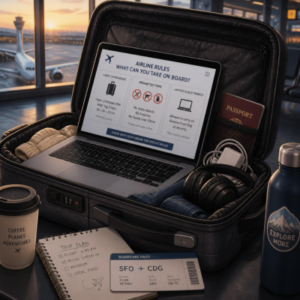
If You Absolutely Must Check a Laptop
Sometimes there’s genuinely no way around it — a broken carry-on strap, an oversized bag situation at the gate, or specific circumstances that make carrying it impractical. If you find yourself needing to check a laptop, a few steps meaningfully reduce the risk:
- Power it down completely. Sleep or standby mode isn’t enough; a fully powered-off device is safer than one that could still draw power or overheat during transit.
- Use a padded, protective case. A dedicated laptop sleeve or hard-shell case adds a real layer of protection against impact.
- Pack it in the center of your suitcase, surrounded by soft clothing on all sides, and away from the edges of the bag where impacts are most likely to be felt.
- Keep it away from liquids, including toiletries or any bottled items packed in the same bag, in case of a spill.
- Remove the battery if it’s removable. Older laptop models with user-removable batteries allow you to carry the battery separately in your carry-on, which some travelers prefer for extra peace of mind, though most modern laptops have built-in, non-removable batteries.
- Never pack spare batteries or power banks in the checked bag. These must go in your carry-on regardless of what you do with the laptop itself.
- Back up important files beforehand, so a lost or damaged laptop doesn’t also mean lost data.
- Consider a luggage tracker if you’re checking a bag with valuable electronics inside, so you have some visibility if the bag is delayed.
Final Thoughts
A laptop can legally travel in checked luggage — TSA and the FAA don’t ban it outright, and most airlines allow it. But “allowed” doesn’t mean “advisable.” The lithium battery inside virtually every modern laptop is safer monitored in the cabin than sitting unattended in cargo, and checked bags also expose your device to more handling damage, temperature swings, and risk of loss or theft than keeping it with you would.

If you have any real choice in the matter, the consistent recommendation from aviation safety authorities and airlines alike is the same: keep your laptop in your carry-on. If checking it becomes unavoidable, powering it down, padding it well, and keeping it away from the edges of your bag go a long way toward minimizing the risk.
Frequently Asked Questions
Is it illegal to put a laptop in checked luggage?
No, it’s not illegal or against TSA policy. Laptops are listed as generally permitted in both carry-on and checked bags. The concern isn’t legality, it’s safety, since lithium-ion batteries are considered safer traveling in the cabin than in the cargo hold.
Will TSA open my checked bag if it has a laptop inside?
Not specifically because of the laptop. TSA screens all checked bags regardless of contents, and a bag may be flagged for manual inspection if something triggers a concern during screening, not simply because a laptop is present.
Can I put a spare laptop battery or power bank in checked luggage?
No. Loose, uninstalled lithium batteries, including power banks and spare laptop batteries, are not allowed in checked luggage under FAA and TSA rules. These must always be carried in your carry-on bag.
Does airline insurance cover a laptop damaged or lost in checked luggage?
Often not fully. Many airlines limit or exclude compensation for high-value electronics in checked baggage, so a damaged or lost laptop may not be fully covered under standard baggage liability policies. Checking your specific airline’s policy in advance is worth doing if this is a concern.
Do all airlines allow laptops in checked bags?
Most do, since neither TSA nor the FAA bans it, but individual airlines can apply their own stricter policies, particularly for international routes or laptops with larger batteries. It’s worth confirming with your specific airline before your trip.
Should I power off my laptop before checking it?
Yes. If you must check a laptop, powering it down completely rather than leaving it in sleep mode reduces the risk of it drawing power, overheating, or accidentally turning on during handling.
Is it safer to remove the battery before checking a laptop?
If your laptop has a removable battery, taking it out and carrying it separately in your carry-on can add a layer of safety. Most modern laptops, however, have non-removable, built-in batteries, so this isn’t an option for many travelers.